Insurance claims
Does dash cam footage help with insurance claims?
What dash cam footage can and cannot do after a collision: evidence for your insurer, the police, keeping the clip safe, and why a discount is not guaranteed.
A dash cam is often sold on one promise: that it will settle the argument after a crash. Footage can be very useful, but it is not magic. It does not decide a claim on its own, it does not guarantee a lower premium, and it can show your mistakes as clearly as anyone else's. This guide explains what footage can realistically do, and how to make sure you still have it when you need it.
What footage can do
When two drivers give different accounts of a collision, an insurer has to work out who was at fault from statements, photos, the damage and any witnesses. Clear footage adds an independent record of what happened:
- Where each car was. Lane position, a car pulling out, a vehicle reversing into you.
- The sequence of events. Who moved first, whether a light was red, whether someone braked suddenly.
- Timing and conditions. The time stamp, the weather, the light and the road layout.
- Who else was there. Witnesses, other vehicles and number plates.
Without independent evidence, disputed claims can end in a split decision where both sides carry some of the blame. Footage that clearly shows what happened gives your insurer something firmer to work with. It does not replace your insurer's assessment, and it does not guarantee any outcome.
What footage cannot do
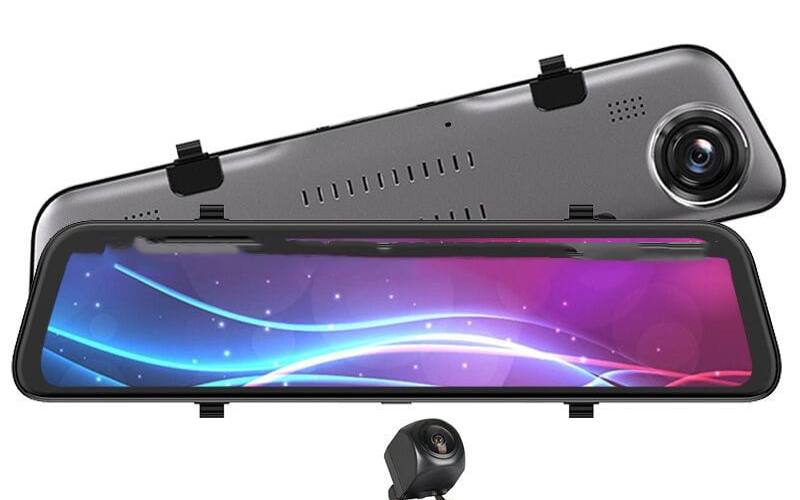
- It cannot show what the camera did not see. A front camera will not see the car that hits you from behind or from the side. A front and rear dash cam or a mirror dash cam covers the back of the car as well.
- It cannot fix poor quality. At night, in heavy rain or into low sun, small details such as number plates can be hard to read. A dirty windscreen makes it worse.
- It cannot pick a side. Footage shows your driving too. If you were speeding, too close or on your phone, the recording will show it.
- It cannot guarantee a discount. Some insurers have offered reduced premiums for dash cam users, many have not, and terms change. Ask yours before you assume anything.
At the scene: what the law says
Footage does not change your legal duties. Highway Code rule 286 says that if you are involved in a collision which causes damage or injury to any other person, vehicle, animal or property, you MUST:
- stop, in a place of relative safety if possible,
- give your own and the vehicle owner's name and address, and the registration number, to anyone having reasonable grounds for requiring them,
- if you do not give your name and address at the time, report the collision to the police as soon as reasonably practicable, and in any case within 24 hours.
The law behind this is section 170 of the Road Traffic Act 1988. Do not stop to fiddle with the camera while you are still in a live lane. Get safe first.
Save the clip before it is gone
Most dash cams record in loop mode: they write short clips and overwrite the oldest ones when the card is full. That is what lets a camera run for months without attention, but it also means an incident can be recorded over within hours if you keep driving.
- Lock the clip. Many dash cams have a G-sensor that locks the current clip when it detects a jolt. In a low-speed bump it may not trigger, so use the camera's lock or emergency button, or the app, as soon as you are safely stopped.
- Copy the original file. At home, copy the clip, plus a few minutes before and after it, from the memory card or the app to a computer or cloud storage. Keep the original file name and do not edit it.
- Do not trim, filter or add music. An insurer or the police want the unaltered recording. You can make a separate short copy to show the key moment, but keep the original.
- Note the details. Date, time, location, and the registration numbers you can see. Check the camera's date and time settings now, before you need them.
- Keep it until everything is settled. That may take months.
With a WiFi camera such as our compact WiFi dash cam or mini WiFi dash cam, you can save a clip to your phone through the app without taking the card out. Only do it when the car is parked safely.
Telling your insurer
When you report a claim, say that you have dash cam footage and ask how they want to receive it. Answer their questions accurately: footage that contradicts what you told them will not help you. If you mentioned a dash cam when buying your policy, check your policy wording for any conditions about it.
Sending footage to the police
If the footage shows a driving offence, such as careless or dangerous driving, a close pass or a red light, you can send it to the police force for the area where it happened. Many forces have online forms. Devon and Cornwall Police, for example, runs Operation Snap. It says:
- it is for moving traffic offences, and not for speeding, parking offences or road traffic collisions, which have their own reporting routes,
- it can usually only continue with submissions received within 10 days of the incident,
- it can only accept a statement from people aged 18 or over,
- you should be prepared to sign a witness statement and possibly give evidence in court.
Other forces run similar schemes with their own rules, so check your local force's website.
Getting the most useful footage
Footage only helps if the camera was recording properly. A few habits make a big difference:
- Mount it well. High in the centre of the windscreen, behind the mirror, inside the area the wipers clear. See Are dash cams legal in the UK?.
- Use a good memory card within the size limit the camera supports, and format it in the camera every few weeks.
- Check it records. Every so often, play back a clip to make sure the camera is recording and the picture is sharp.
- Set the date and time, including the change to and from British Summer Time.
- Keep the windscreen clean inside and out.
- Cover the back if you can. Rear-end collisions are common, and only a rear camera sees them.
So, is it worth it?
A dash cam is not a guarantee of anything. What it gives you is an independent record of what happened, which can help your insurer and the police see the facts when accounts differ. Buy one for that reason, look after the footage, and treat any insurance discount as a bonus rather than the point.
Browse our dash cams, or read Dash cam parking mode explained if you also want a record of what happens to the car while it is parked.
Frequently asked questions
Will a dash cam lower my car insurance?
Not necessarily. Some insurers have offered discounts for fitting a dash cam, but many do not, and none of this is guaranteed. Ask your insurer or broker directly. Buy a dash cam for the evidence it gives you, and treat any discount as a bonus.
Will my insurer accept dash cam footage?
Insurers can take dash cam footage into account as evidence when they decide who was at fault, alongside statements, photos and the damage. Tell your insurer you have footage when you report the claim and ask how they want to receive it.
Can dash cam footage be used against me?
Yes. Footage shows what happened, including your own speed, position and reactions. If you were partly at fault, the recording will show that too.
How long should I keep dash cam footage of an incident?
Until the claim or any police matter is completely settled. Copy the original file off the memory card to a computer or cloud storage straight away, because the camera will overwrite it in loop recording.