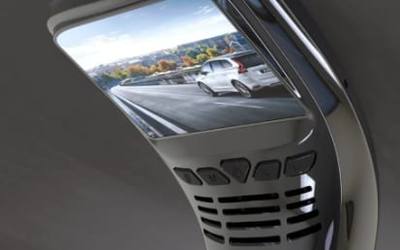
Front and rear vs mirror
Front and rear dash cam or mirror dash cam?
Both record the road ahead and behind. How a front and rear dash cam and a mirror dash cam differ in fitting, view, screen size and what suits your car.
A front camera covers the most common incidents, like a car pulling out of a side road. It cannot see the car that runs into the back of you at a roundabout, or what happens behind you in a car park. That is why two-camera dash cams have become popular. There are two main designs: the front and rear dash cam, where a main unit sits on the windscreen or dashboard and a second camera goes at the back, and the mirror dash cam, which straps over your rear-view mirror.
Both record the road ahead and behind at the same time. The differences are in where things sit, how you see the picture and what else the device does.
How each design works
Front and rear dash cam
The main unit holds the front camera, the memory card and usually a screen. A small rear camera connects to it with a long cable that runs along the headlining to the back of the car. Both cameras record to the same card.
The two models in our front and rear dash cams category take this further. They are 10.26-inch dashboard screens with a camera on the back, a separate rear camera, and Apple CarPlay and Android Auto built in:
- The 10.26-inch dash cam screen with 4K front camera records 4K at the front and 1080p at the rear, according to the supplier.
- The 10.26-inch CarPlay screen with front and rear cameras adds FM and AUX audio and comes with a suction mount.
Mirror dash cam
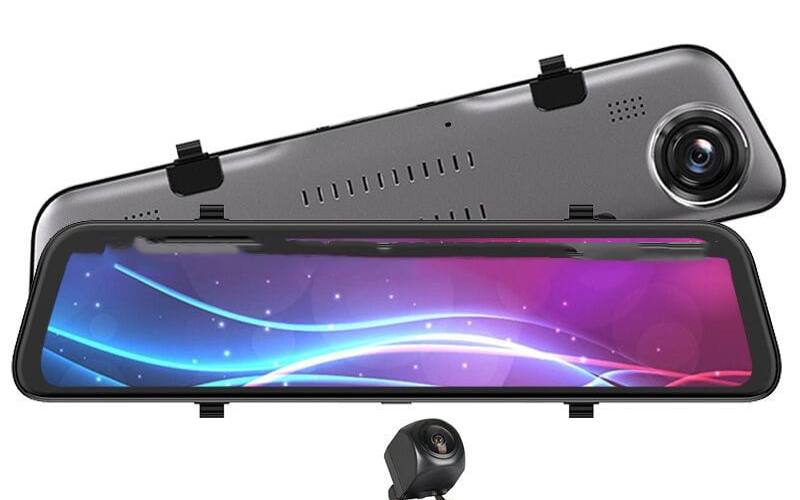
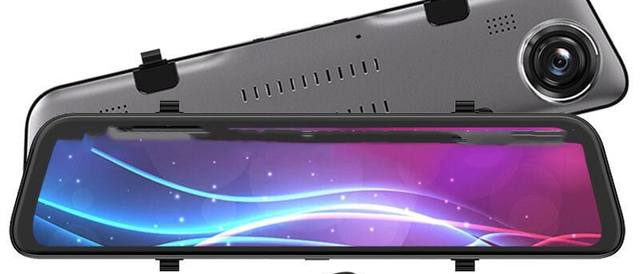
A mirror dash cam is a long, thin unit that straps over your existing rear-view mirror. The front camera is on its back, looking through the windscreen. The rear camera goes at the back of the car, just like with a dashboard unit. The whole face of the mirror is a touch screen, which can show the rear camera picture as a wide view behind the car. When the screen is off, the front works as a plain mirror.
Our 12-inch mirror dash cam is this type: a 2K front camera with a 170 degree lens and a 140 degree rear camera, according to the supplier.
Side by side
| Front and rear dash cam (screen type) | Mirror dash cam | |
|---|---|---|
| Where it sits | Dashboard or windscreen mount | Strapped over the rear-view mirror |
| Windscreen | Front camera on the back of the screen, which sits on the dashboard | Nothing extra on the glass |
| Screen | Large screen low on the dashboard | Long screen at mirror height |
| Rear view while driving | Glance down at the screen | Rear camera picture where you already look for the mirror |
| Extras on our models | CarPlay, Android Auto, Bluetooth | Touch controls, reversing view |
| Fitting | Mount on dashboard, rear camera cable | Two straps, rear camera cable |
Things to think about
Where you want to look
With a mirror dash cam, the rear view sits exactly where your eyes already go for the mirror. That is its biggest advantage. The rear camera is mounted high on the rear window, so head restraints, passengers and luggage no longer block the view.
The flip side is that a screen picture is not the same as a mirror. A glass mirror has depth and your eyes do not need to refocus much. A screen at arm's length needs a moment to read, especially if you wear varifocals. Give yourself a few drives to get used to it before relying on it at junctions, and you can always switch the screen off to use the mirror surface.
A dashboard screen is lower down. You glance at it the way you would at a sat nav, which suits maps and music but not a quick look behind.
What else you want it to do
If your car has no CarPlay or Android Auto, a dashboard screen that also records is a neat way to get both in one device. The supplier lists Bluetooth, CarPlay and Android Auto for both of our 10.26-inch models, so maps, music and calls go on the same screen as the camera views.
A mirror dash cam is a camera first. It does not take up dashboard space, which matters in cars with a small dashboard or a central screen already in the way.
Your view of the road
Whatever you choose, it must not block your view through the windscreen. The Highway Code says windscreens must be kept free from obstructions to vision, and an MOT tester can record a defect if something significantly affects your view through the area the wipers sweep. Our guide Are dash cams legal in the UK? explains the details.
- Mirror dash cam: check that the unit does not hang lower than your own mirror. Our 12-inch model measures 320 x 72 x 37 mm, according to the supplier, so compare it with your mirror before you buy.
- Dashboard screen: place it low and to the side of your line of sight, away from airbag covers. A 10.26-inch screen is wide, so measure the dashboard space.
The MOT manual also expects mirrors to give an adequate view to the rear. A mirror dash cam leaves your original mirror in the car underneath it, and its front surface works as a mirror when the screen is off.
Screens and video
Regulation 109 of the Road Vehicles (Construction and Use) Regulations 1986 means a screen the driver can see may show camera views of the road, navigation and vehicle information while driving, but not films or other video. Both designs are fine for live camera views. Do not watch playback while you drive.
Fitting the rear camera
The rear camera is the same job for both types. Run its cable along the headlining and down the trim to the rear window, then fix the camera at the top of the glass in the middle, inside the area the rear wiper clears. Estates, SUVs and vans need more cable than hatchbacks, so check the length. Many cars have curtain airbags along the roof edge, so tuck cables in gently and do not wedge them where they could get in the way of an airbag.
A reversing view, where the screen switches to the rear camera when you select reverse, usually needs an extra wire to the reversing light. If you are not comfortable with car wiring, ask a fitter.
Power and parking
Two cameras and a large screen need steady power. The 12V socket works for everyday driving. If you want the cameras to record while the car is parked, the device needs power with the ignition off, which usually means a hardwire kit with a low-voltage cut-off. Read Dash cam parking mode explained and Hardwiring a dash cam or using the 12V socket before you decide.
Which one should you choose?
Choose a mirror dash cam if:
- you want the windscreen and dashboard clear,
- your rear view is often blocked by passengers, head restraints or a full boot,
- you already have a screen for CarPlay or navigation.
Choose a front and rear dash cam with a screen if:
- your car has no CarPlay or Android Auto and you want it,
- you prefer a screen on the dashboard to one at mirror height,
- you want to see and touch the controls more easily.
Either way, you get footage of both ends of the car from one memory card. If you only need the road ahead, a small front camera from our dash cams is simpler and cheaper.
Frequently asked questions
Is a mirror dash cam better than a front and rear dash cam?
Neither is better for everyone. A mirror dash cam keeps the windscreen and dashboard clear and gives you a wide rear view on the mirror. A dashboard unit with a rear camera is easier to see and touch, and the models we sell also run CarPlay and Android Auto. Choose by where you want the screen and what else you want it to do.
Do mirror dash cams fit every car?
They fit most cars with a conventional rear-view mirror, because they strap over it. Measure your mirror and check the space between the mirror and the windscreen, and make sure the unit does not hang lower than your original mirror into your view ahead.
Where does the rear camera go?
On both types the rear camera usually goes inside the top of the rear window, with its cable run under the headlining. Some rear cameras can be fitted outside near the number plate, which needs the cable to pass into the boot.
Do both types record at the same time?
Yes. Front and rear cameras record together to one memory card, so you have both views of the same moment.